Prompt Lab #1: How well Flux.1 Dev follows framing prompts
I generate tons of images for my work, so I know how important framing language in prompting can be. You need the model to give you a close-up when you ask for a close-up, and a full body when you want head-to-toe. Vague “portrait” prompts leave too much to chance.
I ran a focused Flux.1 Dev test for my own use on framing terms only: same kind of shot vocabulary filmmakers use, scored across multiple seeds, with notes on what to say instead when the film term fails. And I thought I’d share it here in case others have struggled getting framing right in their creations.
Rating scale (adherence rate)
Each term got an adherence percentage from my runs. Asterisks mean the number needs context. Details sit under each term.
The framing stack
This post is only about framing: how much of the subject is visible. Angle, orientation, and lens are separate labs.
Works cleanly
Close-Up: 100%
Face from shoulders up. Flux followed this reliably in the test set.
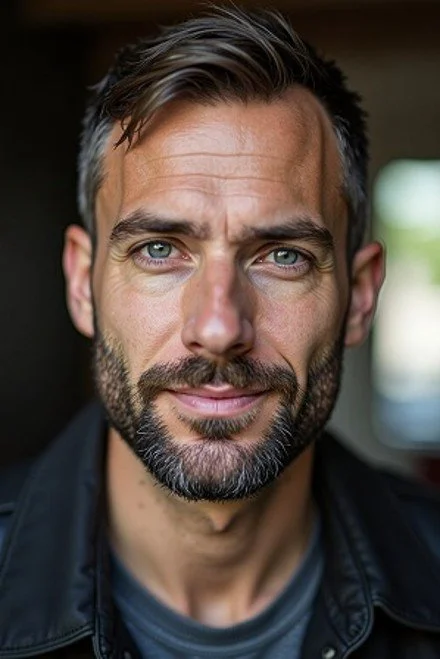
Example: Close-Up (one seed from the test set).
Full Body Shot: 100%
Full body in frame. Plain “full body” language was the clean winner when I needed head to toe.
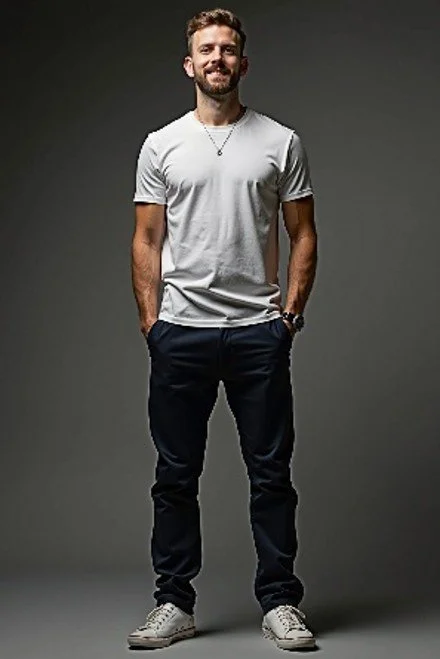
Example: Full Body Shot.
Long Shot: 100%*
Subject plus environment. The bare term can work, with a big caveat below.
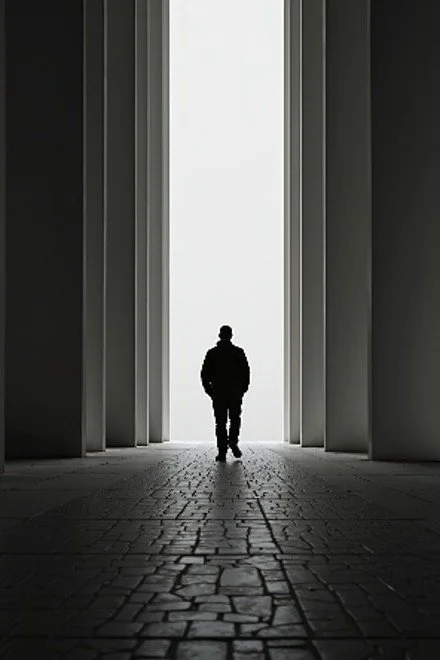
Example: Long Shot (before heavy subject detail collapses the frame).
Mostly works (with a catch)
Extreme Long Shot: 75%*
Environment should dominate. I got modestly more environment than a long shot, and results were similar until subject detail piled on.
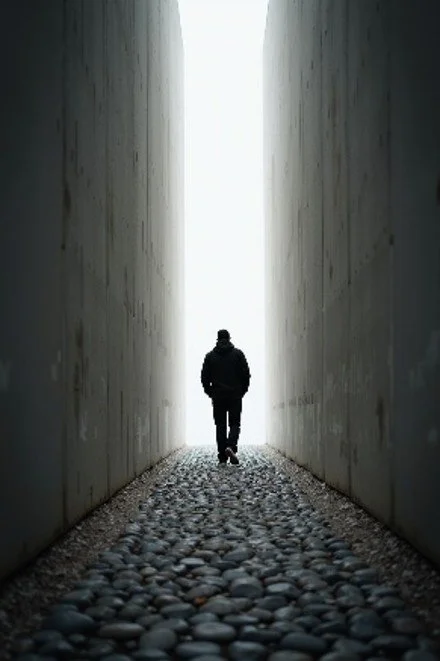
Example: Extreme Long Shot.
The catch for long / extreme long shots:
The moment you start describing the subject in detail, Flux often collapses into an upper body shot.
To keep more environment (roughly ~25% adherence), describe the scene before you load subject details:
“An extreme long shot photo of a city street. A man stands in the middle, smiling. He’s in sharp focus with brown hair and blue eyes.”
To push closer to ~75% adherence, force the tiny-figure read by calling out face and feet (full body small in frame):
“An extreme long-shot photo of a city street. There is a man standing, his full body appearing small in the middle of the frame. He’s smiling with brown hair and blue eyes. His shoes are white.”
Same pattern helps long shot: scene first, then “full body appearing small,” then a couple of face or shoe anchors.
I should also add that for landscape-oriented images (wide shot or ultra wide shot), the same situation applies
Cowboy Shot: 25%*
Mid-thigh up is the intent. In practice, Flux often invents an actual cowboy (hat and all) more than it nails the crop.
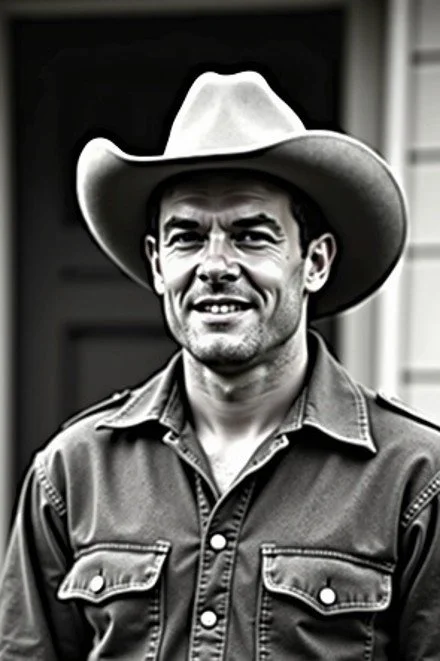
Example: Cowboy Shot fail mode (accidental cowboy).
For roughly ~75% adherence to this crop, skip the film term and place body landmarks in the frame:
“A photograph of a man. His head is at the top of the image, while his hips are at the bottom of the image.”
Fails or fights you
Full Shot: 0%
Head to toe is the film meaning. In this test it did not stick. For a similar shot that actually works, just use “full body.”

Example: Full Shot miss (often collapses toward upper body).
Medium Long Shot: 0%*
Knees up. Didn’t read as distinct from a medium shot in these runs.
Medium Shot: 0%
Failed here, as it should be waist up, but ended up being more chest-up. Landmark prompting helped toward ~50%:
“A photograph of a man. His head is at the top of the image, while his waist is at the bottom of the image.”
Or: “A photograph of a man. His face is positioned at the top of the image while his waist is positioned at the bottom of the frame.”

Example: Medium Shot as a bare term (from the test set).
Medium Close-Up: 0%
This was supposed to be chest up and failed, as it looked almost the same as close-up, which is shoulders up. Landmark prompting helped toward ~75%:
“A photograph of a man. His chest is at the bottom of the image.”
Or you can give the above “medium shot” a try, since that seemed to get the shot to start from the chest up, unintentionally.
Extreme Close-Up: 0%*
Should be a tiny detail (eye, mouth, object). Results were closer than a normal close-up, but not a true ECU by definition. But this makes sense as you need to give Flux instructions on what to do the close-up on.
Better: “close-up of a man’s eyes” or “close-up of a man’s mouth.”
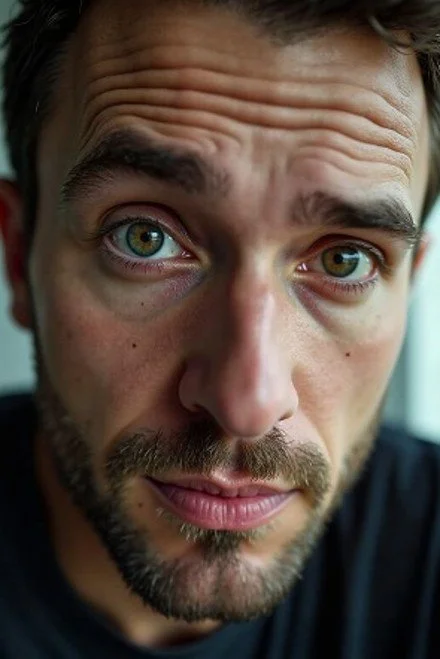
Example: Extreme Close-Up (closer than close-up, still not a true extreme close-up).
Prompt habits from this lab
Trust a short list of film terms: close-up, full body (shot), long shot / extreme long shot (with scene-first discipline).
Don’t trust bare “full shot,” “medium shot,” “medium close-up,” “medium long shot,” or “extreme close-up.” Rewrite them.
Cowboy shot is a trap. You’ll get cowboys. Describe head-to-hips placement instead.
Wide environment dies when subject detail gets greedy. Scene first. Then “full body appearing small.” Then sparse face/feet anchors.
Body landmarks beat jargon for mid-range crops: what sits at the top of the frame vs the bottom.
This is Prompt Lab #1: framing adherence for Flux.1 Dev, scored from my own generations. Next lab will dig into whatever fails hardest next in production for Hairy AI Guys.
Hairy AI Guys makes hyper-realistic adult masculine men (daddies, bears, otters, muscle guys) with custom Flux models. Everything is disclosed as AI. Storefront: hairyaiguys.com